How to recover a deleted Git branch.
You deleted a branch, maybe with git branch -D, and then realized it still had work you needed. A
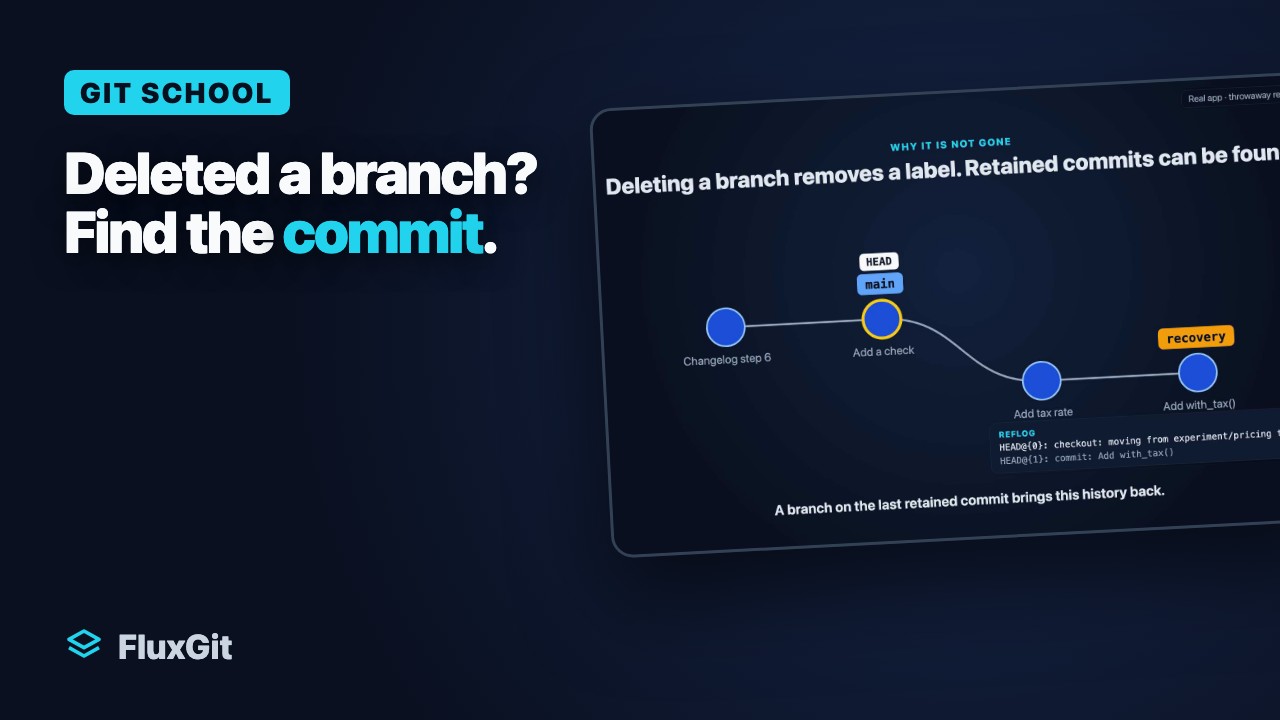
branch in Git is just a name pointing at a commit. Deleting the name does not delete the commits, so as long as you
can find the commit the branch pointed to, you can recreate the branch exactly where it was.
The short answer
Find the last commit of the deleted branch with git reflog, then recreate the branch at that SHA.
git reflog
# Find the SHA of the branch tip, then:
git checkout -b my-branch 9b7c4e2
If you deleted the branch moments ago, Git already told you the SHA. The output of the delete looks like
Deleted branch my-branch (was 9b7c4e2). That short SHA is exactly what you pass to
git checkout -b, and you can skip the reflog entirely.
Step by step
Do not create new commits or run garbage collection before you recover. The commits from the deleted branch are
now unreferenced, and while Git keeps them for a grace period, git gc --prune=now would remove them.
Recover first.
1. Find the tip commit
Run git reflog and look for the last activity on the branch: the commit you made on it, or the checkout away from it. The SHA on that line is the branch tip.
2. Verify it
Run git log --oneline <sha> to confirm the branch history is intact and reachable from that commit before you recreate anything.
3. Recreate the branch
Run git branch my-branch <sha> to restore the name without switching, or git checkout -b my-branch <sha> to restore it and check it out in one step.
The full sequence
A branch reflog is deleted along with the branch, so you look in the HEAD reflog instead, which
records every commit and checkout you made while that branch was current:
$ git reflog
a1b2c3d HEAD@{0}: checkout: moving from feature/reports to main
9b7c4e2 HEAD@{1}: commit: finish CSV report export
4d3a1f8 HEAD@{2}: commit: add report scaffold

# 9b7c4e2 was the tip of feature/reports before you left it.
# Confirm the history:
$ git log --oneline 9b7c4e2

# Recreate the branch at that commit:
$ git checkout -b feature/reports 9b7c4e2
When the reflog cannot help
If you never had the branch checked out in this clone (for example it only ever existed on a remote), or the
reflog has already been pruned, git fsck can find commits that no branch points to any more:
# List commits that nothing references
git fsck --full --no-reflogs --unreachable --lost-found | grep commit

# Inspect a candidate to see if it is your branch tip
git show <commit-sha>

# Recreate the branch once you have identified it
git branch my-branch <commit-sha>
If the branch was pushed, check whether its remote reference still exists before fetching and recreating a local branch; having pushed it once does not guarantee that the remote still retains it. A plain
git fetch followed by git checkout -b my-branch origin/my-branch brings it back with no
archaeology at all.
What this depends on
Deleting a branch removes its reference, not necessarily its commit objects; recovery depends on whether those objects are still retained, and reflog expiry and object pruning use separate configurable policies. The reflog is local and time-limited,
it does not exist on a fresh clone, and once git gc --prune=now has run the objects can be gone.
Recover sooner rather than later.
Recover a deleted Git branch with reflog
Find a retained commit from a deleted local branch, verify it and create a recovery branch without moving another branch.
Watch on YouTube — opens a new tab
Recorded in a test repository. Recovery needs retained commit objects and usable reflog or journal records. The Ref journal records reference changes when its installed Git hook runs; hook bypasses and other Git implementations are not covered. It does not back up uncommitted files.
Read the narration transcript
- You deleted a branch with work on it: git branch dash capital D, two commits that were never merged anywhere. Here is how to get them back.
- In FluxGit the branch is gone from the list.
- Here is why it is not gone. A branch is a label. git branch dash capital D removes the label, but the two commits stay in the repository, with no branch pointing at them. The reflog still remembers them. Put a branch on the last one, and both are back.
- Open the Safety Timeline. It shows the reflog in plain sentences.
- Find a lost commit: type part of its message. One match, the last commit of the deleted branch.
- Create branch here. A recovery branch points at that commit, and nothing else moves.
- Both commits are back in the graph.
- Turn on the Ref journal for this repository.
- When the installed Git hook runs, FluxGit can record branch deletions made through the Git command line, including terminal or agent commands.
- Hook bypasses and other Git implementations are not covered.
- It records references, not uncommitted files.
- Recovery still needs the commit objects to exist.
- In the terminal: git reflog, find the commit, then git branch with the old name and that commit.
- Recap. A deleted branch is a lost label; the reflog still finds the commits. Next lesson: when an AI agent deletes your code.
Recover a deleted branch without decoding SHAs.
FluxGit surfaces reflog movement and Flux restore points on one Safety Timeline, so a deleted branch shows up as a labelled entry you can preview and restore, not a short SHA you have to hunt for in terminal output. FluxGit can guard a branch deletion through the app, while the enabled Ref journal can record Git command-line reference changes when its installed hook runs; recovery still needs retained commit objects and usable records, and hook bypasses or other Git implementations are not covered. FluxGit ships a signed and notarized macOS build, free to download and free on public repositories, and the download page lists which platforms have a build.