How to undo git reset --hard safely
You ran git reset --hard, and commits you wanted are gone from the branch. If the lost work was
committed and its object still exists, the reflog will often identify where HEAD pointed before the
reset. This is how to verify that commit, protect it with a rescue branch, and recognize when recovery is not possible.
The short answer
Find where HEAD was before the reset, verify it, and give the commit a rescue branch before moving anything.
git reflog
# Find the line for the state you want, e.g. HEAD@{1}
git show HEAD@{1}
git branch rescue-lost-work HEAD@{1}
# Optional, after verification:
git reset --hard HEAD@{1}
HEAD@{1} means "where HEAD pointed one move ago" and is often the right entry immediately after a
reset. It is not guaranteed: another checkout, reset, rebase, or commit may have added reflog entries. Read the
message, inspect the commit, and use its SHA if that is clearer. One important caveat decides whether the rest of
this article can help you.
Can you revert git reset --hard?
Yes, when the lost work was committed and its object still exists, but git revert is usually not the
command you need. Revert creates a new commit that reverses the changes introduced by an existing commit; it does
not move a branch back to the position it had before a reset. Use git reflog to find that position,
verify it, and create a rescue branch first.
Git also writes the old branch tip to ORIG_HEAD before a reset, so git show ORIG_HEAD may
point straight to the lost commit. Other Git commands can overwrite ORIG_HEAD, which makes the reflog
the better record. Verify either reference before creating the rescue branch.
Committed work versus uncommitted work
Reflog recovers commits. If the work you lost was committed before the reset and its object is still retained,
the steps below can help you recover it. If the work was never committed, only staged or edited in the working tree,
then git reset --hard overwrote those files and the reflog has nothing to offer, because there was
no commit to point at.
There is a partial exception: content that was ever staged with git add exists as a loose object in
the repository, and git fsck --lost-found can sometimes surface it. That path is covered in the
companion guide linked at the end. For committed work, keep reading.
Step by step
Before anything, stop running commands that move refs. Every extra reset, rebase, or checkout adds noise to the reflog and can push the entry you need further down. Inspect first, act once.
1. Read the reflog
Run git reflog. Each line is a past position of HEAD with an index like HEAD@{2} and a short SHA. Find the reset entry, then inspect the previous HEAD entry, often HEAD@{1}. Use its message and SHA rather than assuming its position.
2. Confirm the commit
Run git show HEAD@{1} or git show <sha> to verify that entry really holds the work you lost before you move anything.
3. Recover safely
The safest move is a rescue branch: git branch rescue <sha>. Nothing on your current branch changes, and the recovered commit now has a name you cannot lose.
Choose the recovery path by what was saved
Committed
Find the commit in git reflog, verify it, and create a rescue branch. This is the reliable path described here.
Staged, never committed
git fsck --lost-found may find dangling blobs, but Git may no longer know their filenames or directory structure.
Only in the working tree
Git cannot recover content that was never added or committed. Check editor history, backups, snapshots, or filesystem recovery.
Pushed to a remote
Fetch the remote and create a rescue branch from the remote ref or commit SHA if the commit still exists there.
The full sequence
Here is a complete, safe recovery. It looks at the reflog, verifies the commit, and rescues it into a branch instead of resetting in place, so a wrong guess costs nothing:
$ git reflog
9b7c4e2 HEAD@{0}: reset: moving to HEAD~3
4d3a1f8 HEAD@{1}: commit: add checkout validation
a1b2c3d HEAD@{2}: commit: wire payment provider
...

# Verify HEAD@{1} is the work you want
$ git show HEAD@{1}

# Rescue it into a branch without touching your current one
$ git branch rescue-lost-work HEAD@{1}

# When you are sure, move your branch back
$ git reset --hard HEAD@{1}
If you would rather just jump straight back and skip the rescue branch, git reset --hard HEAD@{1} on
its own is enough. The rescue branch only exists so that a mistaken reset has an undo of its own.
What reset --hard actually did
git reset --hard <target> does three things: it moves the current branch to
<target>, it makes the index match, and it overwrites the working tree to match. The commits
you moved away from are not deleted immediately. The default reflog expiry is 90 days for reachable entries and
30 days for entries that are no longer reachable. Object pruning is a separate process, with its own default grace
period of two weeks. Configuration and manual garbage collection can change both, so recover the commit promptly.
Official Git references
These steps follow the official documentation for
git reset and ORIG_HEAD,
reflog expiry,
git revert, and
garbage collection and pruning.
What reflog does not guarantee
The reflog is local to your clone and time-limited. It does not exist on a fresh clone, it is pruned over time,
and it cannot restore working-tree edits that were never committed or staged. If you have already run
git gc --prune=now after the reset, the objects may be gone for good. Treat reflog as a strong
safety net, not a backup system.
Watch: recover a retained commit after a hard reset
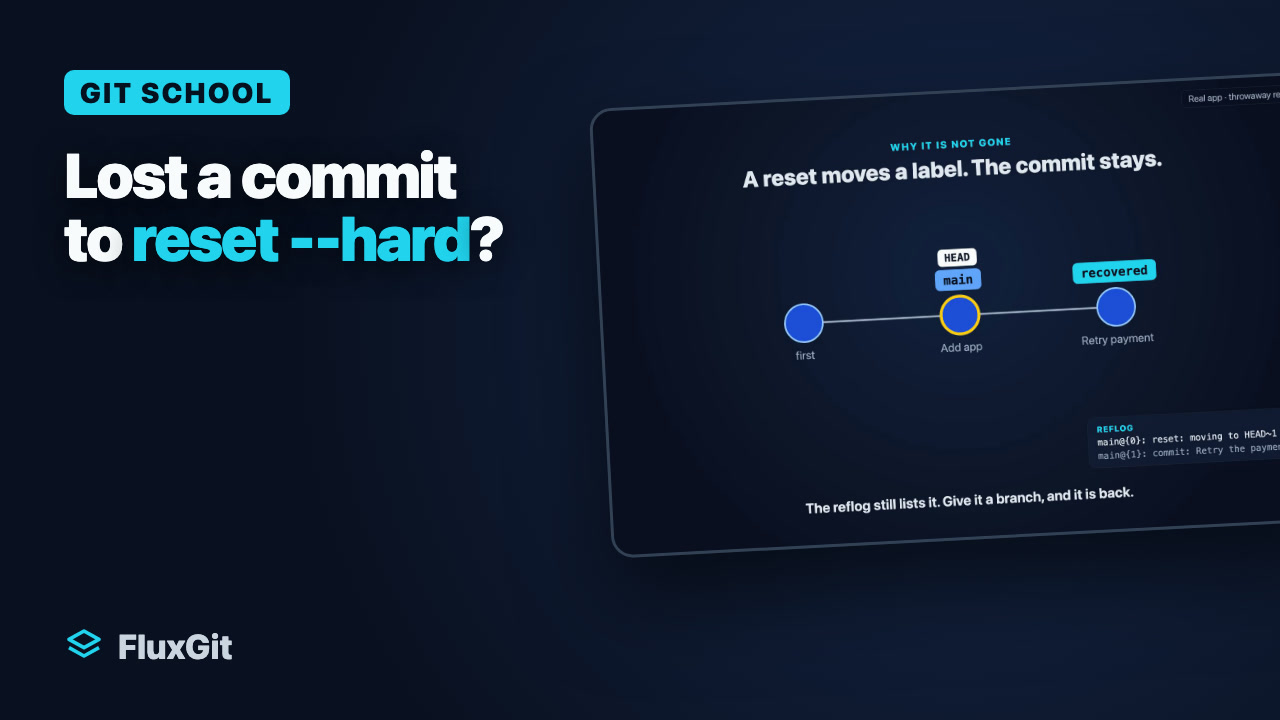
See a committed change disappear from a branch after a reset, then recover it on a rescue branch using the local reflog. The commit object must still be retained; reflog expiry and object cleanup can prevent recovery.
Watch on YouTube — opens a new tab
Recorded in a test repository. Uncommitted working-tree edits are not in the reflog. With restore points enabled and local changes detected, FluxGit can save a safety stash before a hard reset in the app. The plain Git terminal reset shown here does not use that protection.
Read the English narration transcript
- You ran git reset hard, and your last commit is gone. Everyone does this once. Here is the way back, and why it works.
- First, some work, committed: retry the payment call twice.
- Then, in a terminal, git reset hard, HEAD tilde one.
- FluxGit sees it at once. The branch moved back, and the commit is no longer on it.
- Here is why it is not lost. A branch is only a label on a commit. The reset moves the label back, but the commit stays in the repository, and the reflog, Git's diary, still lists it. Give it a branch, and it is back.
- In FluxGit, Recover lost work explains it in plain words, and takes you to the right place.
- The Safety Timeline shows the reset as one sentence. From the moment before it, create a branch.
- Your commit is back, on its own branch.
- Uncommitted work is not in the reflog. With restore points enabled and local changes detected, FluxGit can save a safety stash before a hard reset. This plain Git terminal reset bypasses that protection.
- The same in the terminal: git reflog, find the line before the reset, and create a branch on that commit.
- Recap. A reset moves a label. The reflog remembers where it was. Create a branch to keep the commit. Next lesson: recover a deleted branch.
Undo a hard reset without reading the reflog by hand.
FluxGit puts reflog movement and Flux restore points on one Safety Timeline, so the commit you reset away from is a labelled entry you can preview and restore, not a short SHA you have to decode. With restore points enabled and local changes detected, FluxGit can save a safety stash before a hard reset on the protected operation path. The plain Git terminal reset in the tutorial bypasses that protection. FluxGit is free to download on macOS, Windows, and Linux, and free on public repositories.