terminalsreal devices
Use the desktop shell from the phone
Android and iPad have opened and controlled terminal sessions on a real desktop. On macOS the shell loads the user's normal PATH, shell configuration, history and SSH agent.
Pair FluxGit with your desktop, inspect the repositories it explicitly shares, and use the terminal sessions already running there. Keep an eye on Codex, tests, commits and diffs without pretending the phone replaces your development machine.
FluxGit Mobile is an unreleased private preview that pairs a mobile device with FluxGit Desktop. It opens authorized terminal sessions that continue to run on the computer and inspects repositories the desktop explicitly shares. Recorded tests cover real Android and iPad devices, repository status and history, commits, local changes, a selected file diff, and a Codex session controlled from a phone. Pairing uses a QR code plus a six-digit comparison on both screens. Repository access, terminal typing, fetch and non-force push use separate permissions; push also requires the typed confirmation PUSH. The agent and repositories remain on the desktop. Mobile approval or rejection of agent proposals is not enabled. Public store distribution, closed-app notifications, equivalent Claude Code and local-model evidence, and the joint release-artifact acceptance run remain pending.
The phone does not host the agent. It opens a protected path to terminals and repositories on your computer, subject to the permissions granted by the desktop.
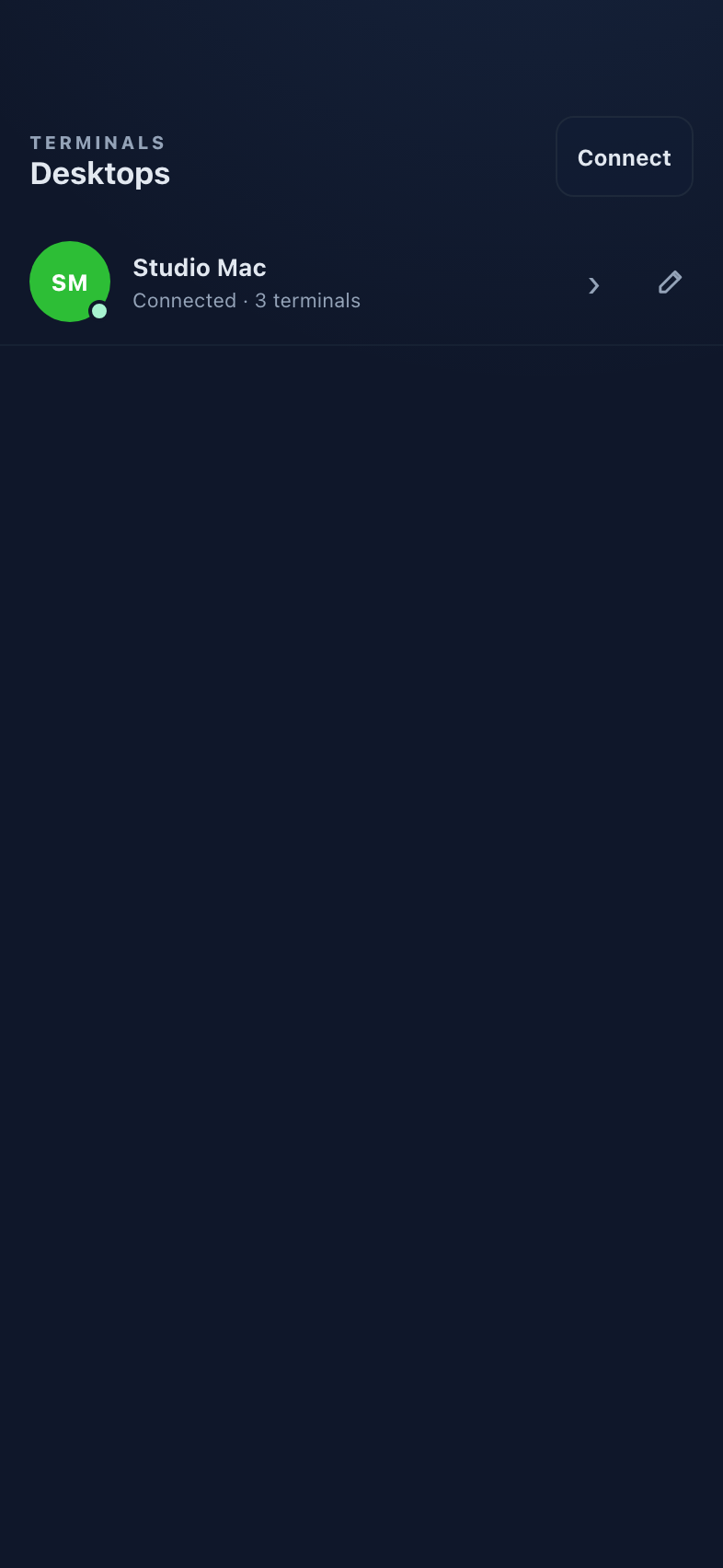
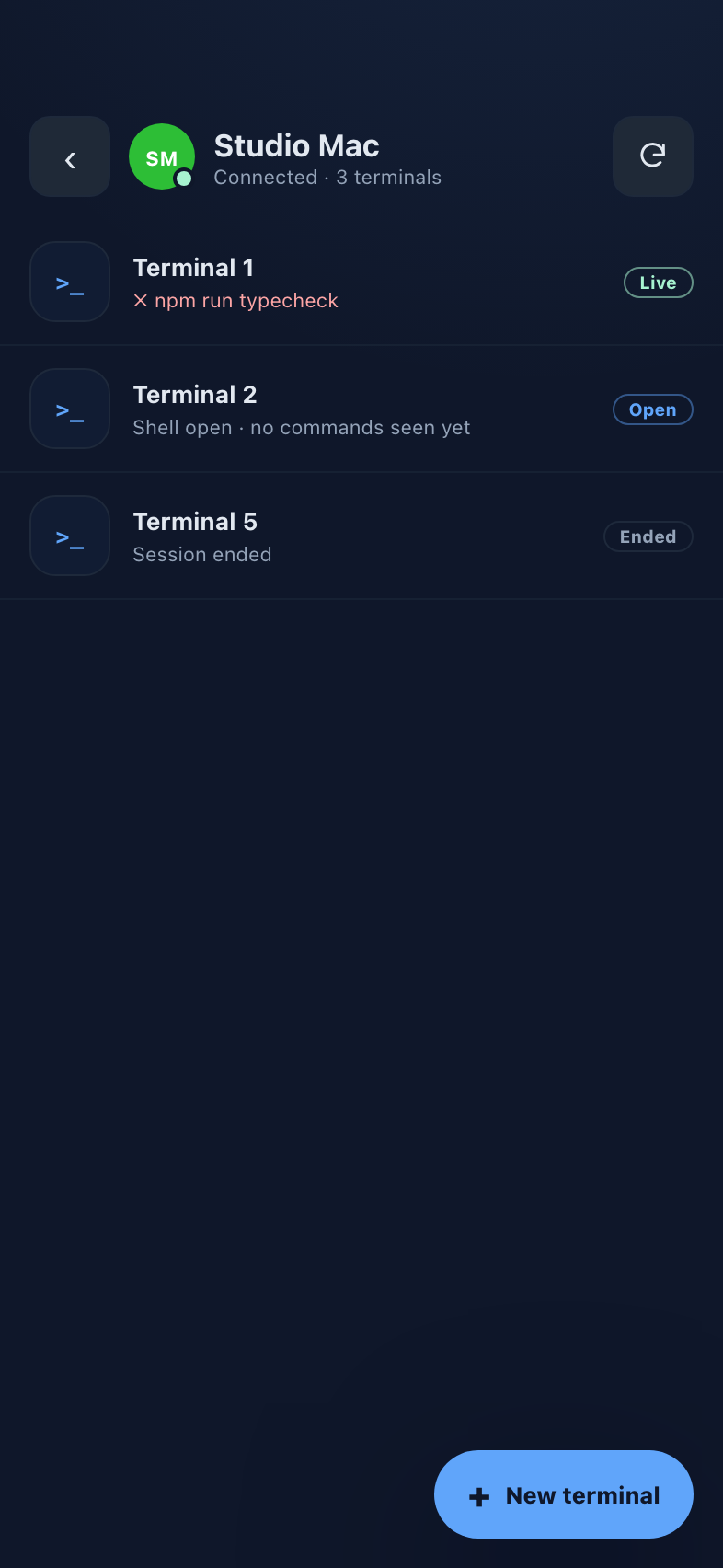
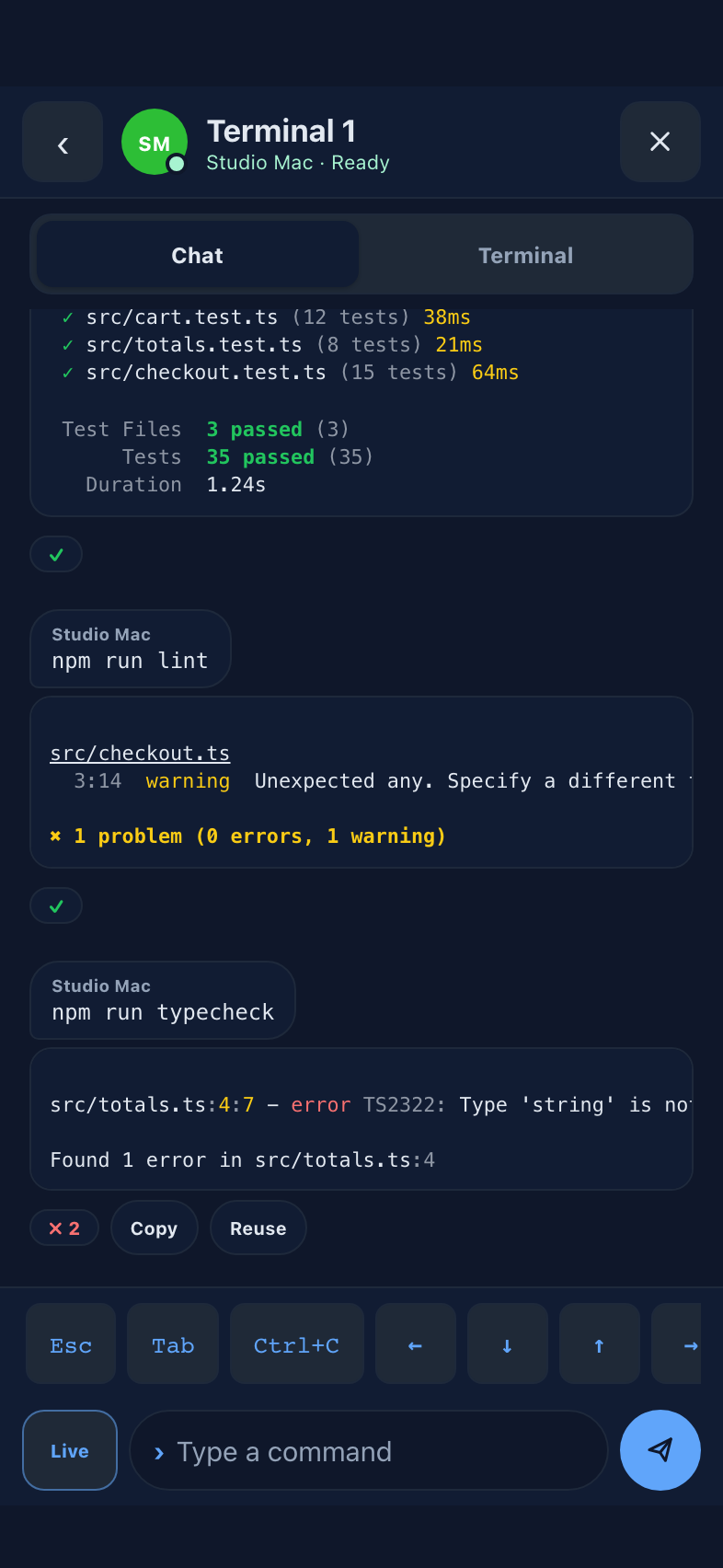
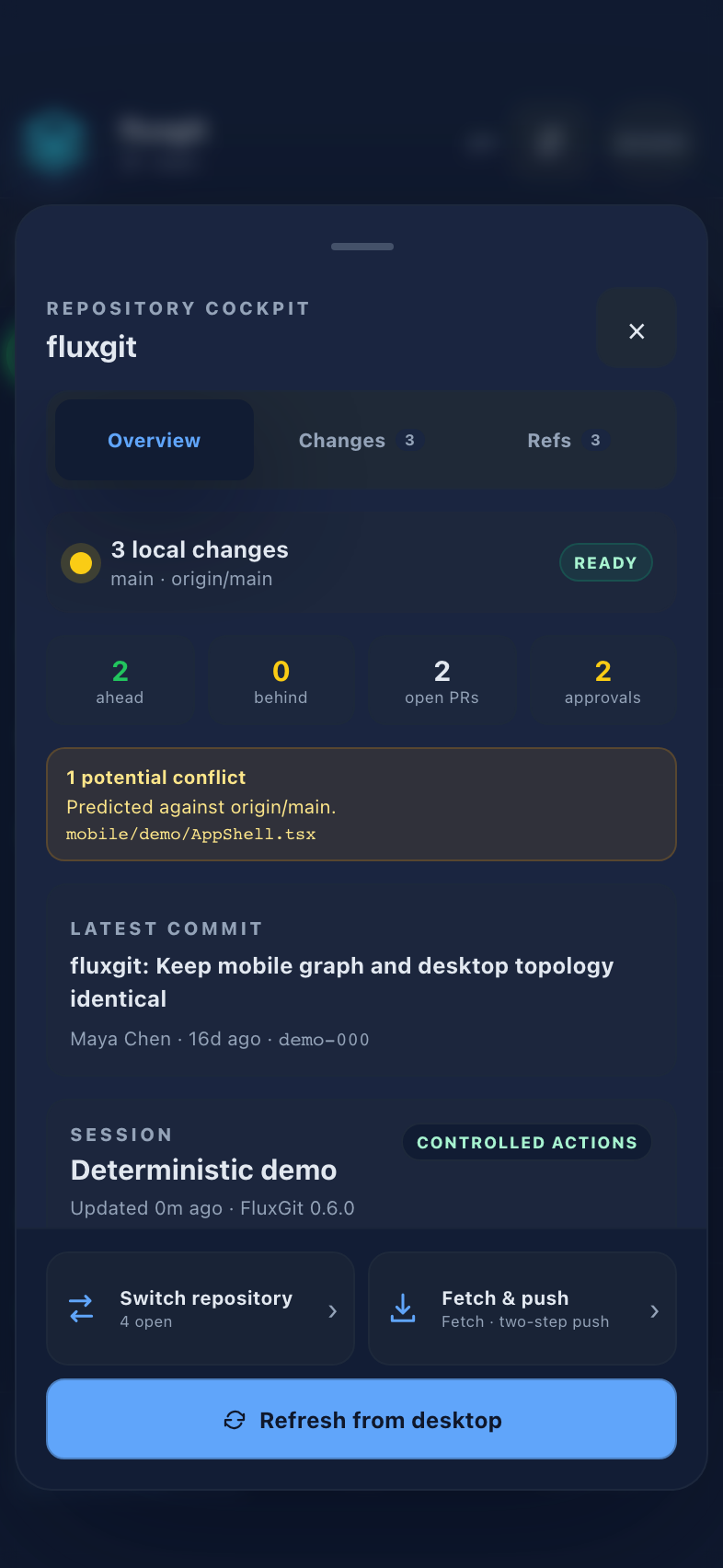
Android and iPad have opened and controlled terminal sessions on a real desktop. On macOS the shell loads the user's normal PATH, shell configuration, history and SSH agent.
Codex has been operated from the phone inside the remote desktop terminal. Other terminal-based coding tools need the same recorded end-to-end test before they are called verified.
The desktop can share up to 16 authorized repositories. The phone can inspect status, refs, history, commits, working-tree changes and a selected file diff.
Repository access, terminal typing, fetch and non-force push use separate grants. Push uses a two-step flow with the written confirmation PUSH.
Pair by QR and compare six digits on both screens. Android has connected outside the local network through Cloudflare TURN; iPad off-LAN testing remains open.
In-app alerts exist, and Android can notify while FluxGit remains connected in the background. Closed-app push and the full iOS notification path are still pending.
Sessions are encrypted over WebRTC and device identities use platform-protected storage. The phone requires a secure device lock. Repositories and write capabilities are granted separately and can be revoked.
There is no external cryptographic audit yet. The mobile apps are not public or localized, closed-app notifications are unfinished, and agent proposals cannot be approved from the phone. The first release-beta artifacts have not completed a three-artifact end-to-end acceptance run.
The desktop FluxGit beta is public. Mobile remote control is a private preview and is not currently in public stores or TestFlight.
No. The coding tool runs in a terminal on your paired desktop. The phone views and controls that authorized terminal session.
The terminal can run tools already installed on the desktop. Codex is the recorded physical-device example. Claude Code and local-model CLIs will be named as verified after matching end-to-end evidence is recorded.
Not during this preview. The phone can show the queue, while approval and rejection remain desktop actions.